Automatic Device Discovery
Connect to the same LAN as your AES67 devices and Handy lists them automatically, with clear online and offline states.

A mobile controller for AES67, ST2110-30, and RAVENNA networks. Discover devices on your LAN, monitor live channel levels and audio streams, and control volume and mute on the go. Works on iPhone, iPad, and Android.
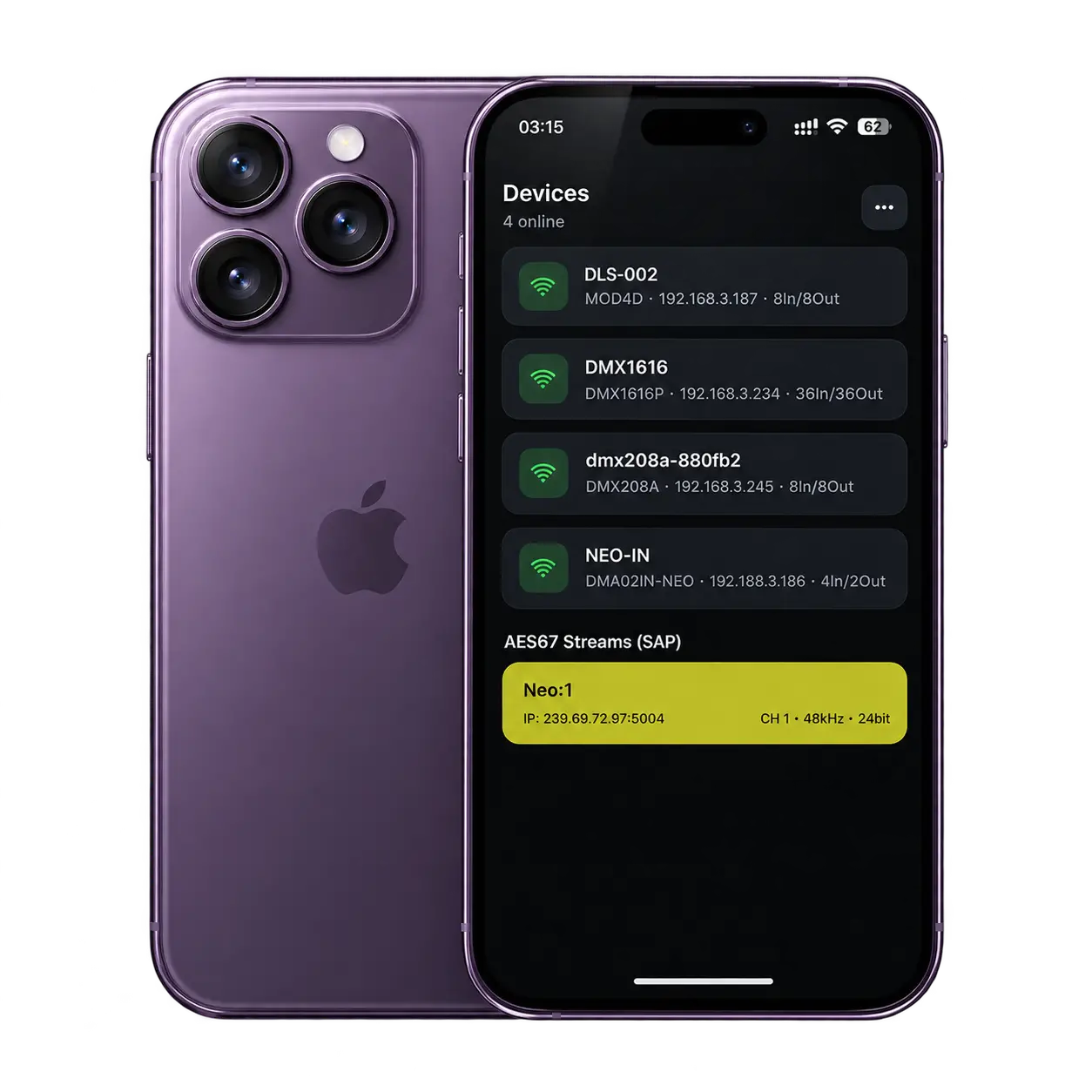
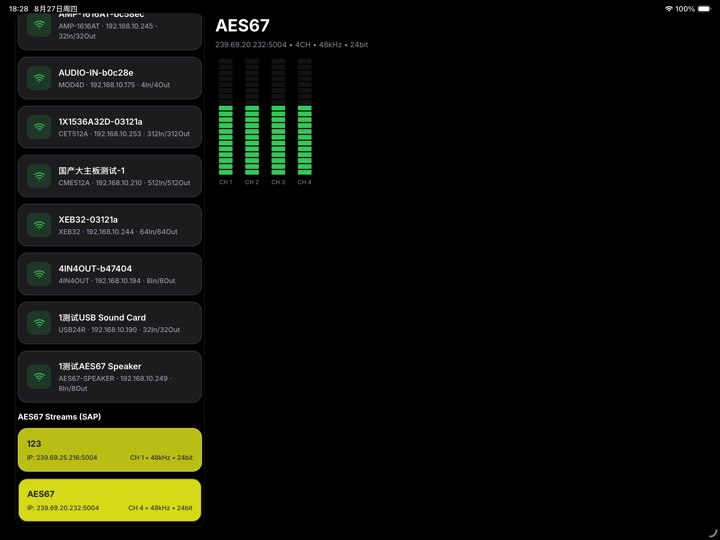
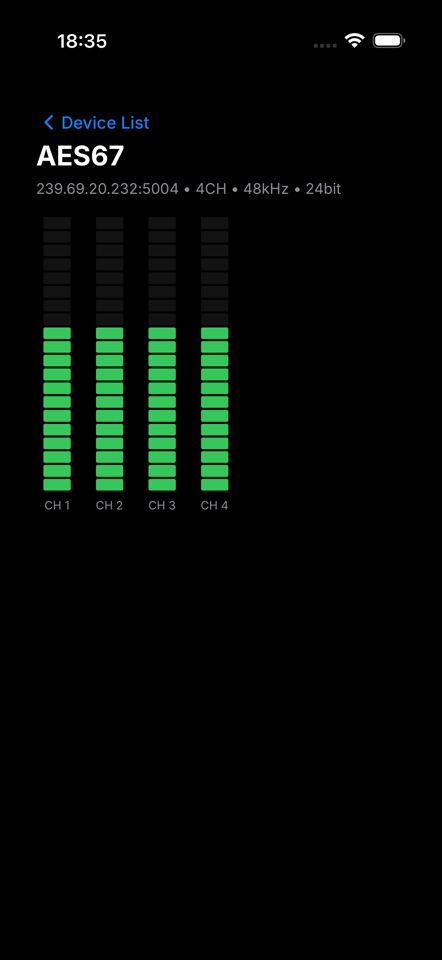
Connect to the same LAN as your AES67 devices and Handy lists them automatically, with clear online and offline states.
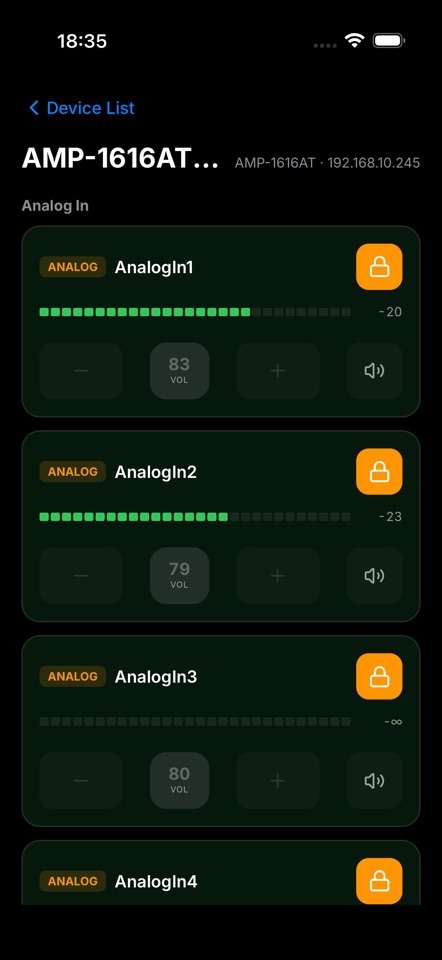
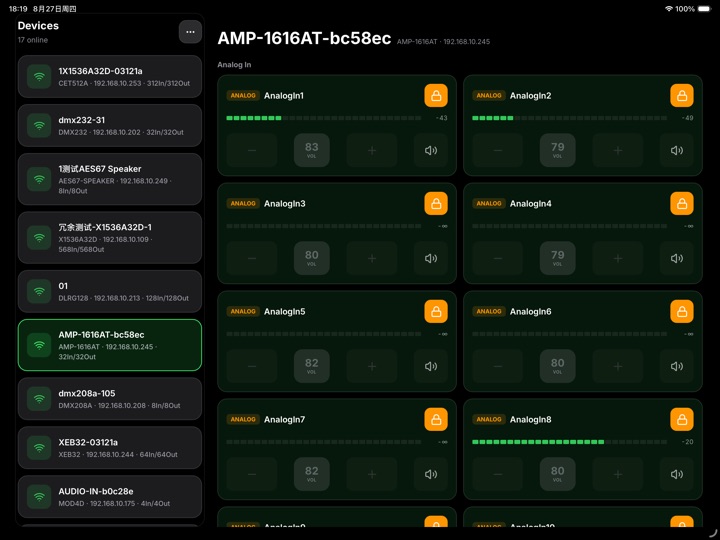
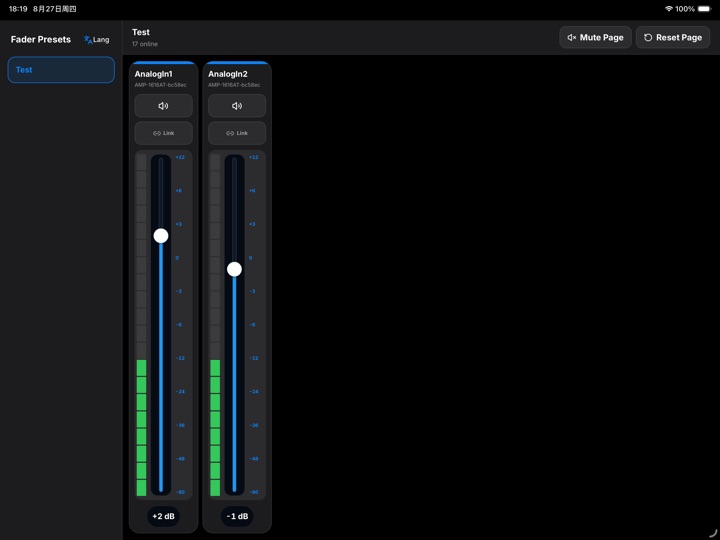
Per-channel volume (tap or hold +/-), mute toggle, and channel lock to prevent accidental changes.
Real-time levels for device channels and AES67 audio streams keep you on top of the site.
Discovered multicast streams with stream IP, channel count, sample rate, and bit depth details.
Fader presets, multi-channel binding, and link groups, plus one-tap page mute and page reset.
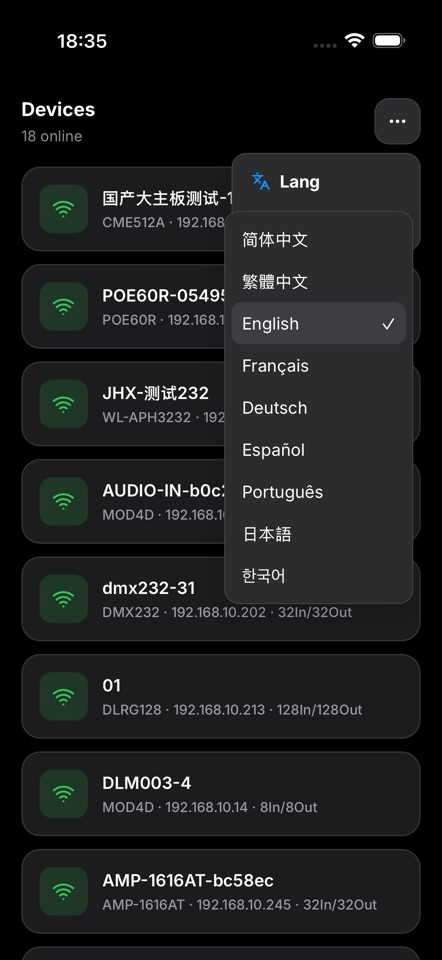
Simplified Chinese, Traditional Chinese, and English, switchable anytime from the menu.
Make sure your phone and the AES67 devices are on the same LAN, open the ... menu and tap Refresh, and confirm the phone is not on cellular data only.
Offline devices are view-only. Wait for the device to come back online; if it stays offline, check its power, network cable, and LAN connection.
Check that the device is online, the channel is unlocked, and the phone is on the same LAN; you can also leave and re-enter the device detail page.
The fader console is tablet only. iPhone and Android phones do not show the fader console entry.
Download AES67 Handy for free and start controlling devices on your LAN.